
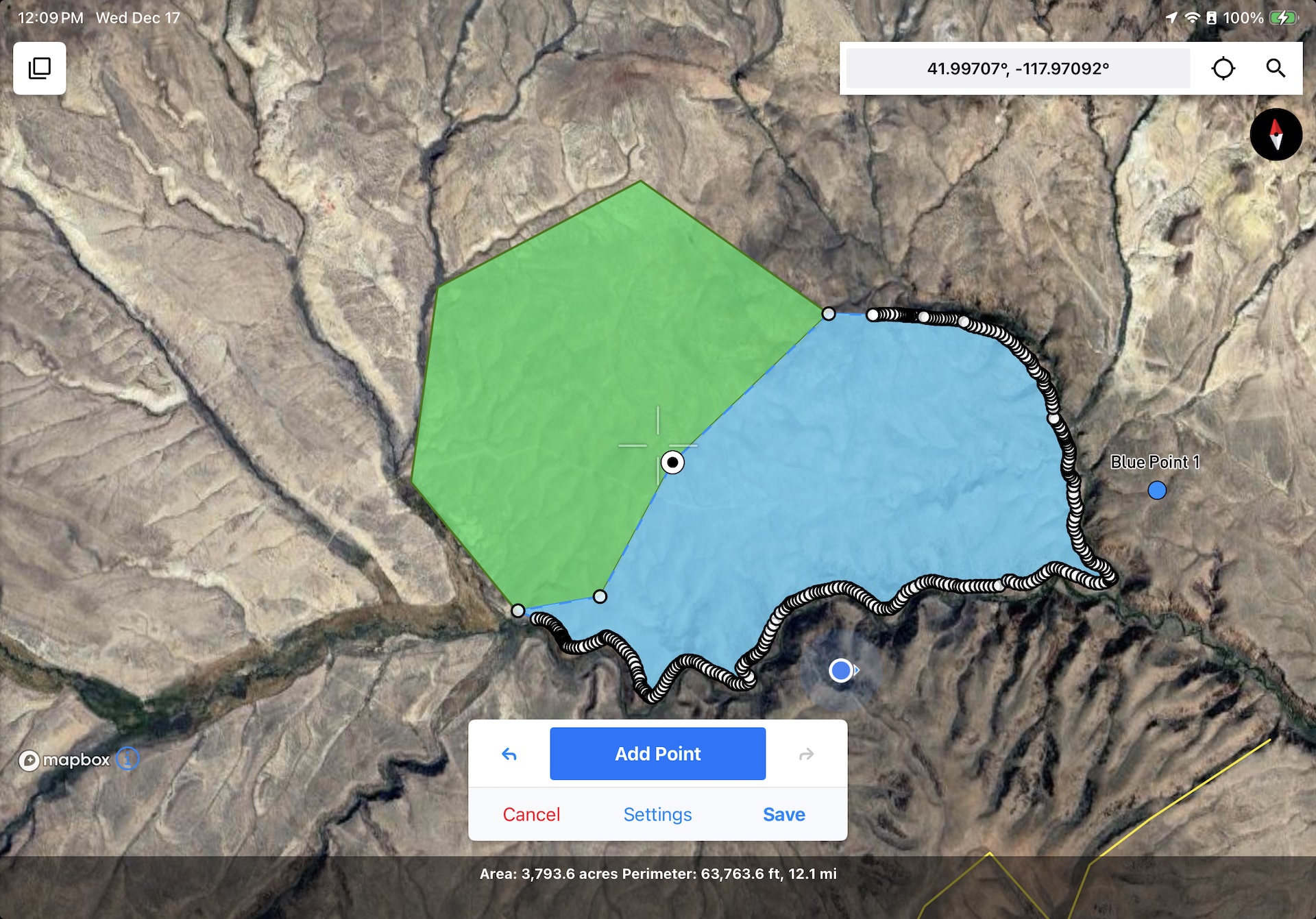
Matching up polygon boundaries is fast, easy, and accurate with Snap to Features enabled.
Introducing Snap to Features Mode
The latest release adds a feature that I hope not only saves you time in the field, but also makes your feature geometries more accurate. Snap to Features is a new option in the drawing settings which helps you connect two geometries to the same coordinates. Whether you’re mapping habitats or fault contacts, it can help you avoid gaps, overlaps, and misalignments between different features. Snap sensitivity is customizable by ground distance to help maintain the connection between what you’re seeing on the ground and what you’re seeing on the screen. You can watch a demo or read more about it in our user guide.
Other notable improvements
Since our last field notes, there have been 7 new versions released. In addition to the new setting called out above, here are some of the updates that I was excited to bring you:
- Point symbol icons too big or too small? You can scale the icon size in the Feature Class Editor.
- Need to share just one feature with a colleague or a client? Single-feature exports are now supported in all formats, including the Touch GIS format for lossless sharing between devices. The .tgis format also supports subfolders, so you no longer need to export an entire project to ensure your feature classes stay consistent.
- Experiencing long map load times due to having a large number of offline map tiles saved? 1.16.0 substantially decreases the load time by a factor of 10 or more.
- Collaborating with an Avenza Maps user? You can import feature class schemas by exporting the schema from Avenza in the KML format.
- Shapefile image export names are sortable and more easily identifiable.
- Shapefile timestamps use the ISO8601 format for better portability.
Don't get left behind! Upgrade to the latest version (1.16.0)
You can download or upgrade to the latest version by visiting our listing in the app store.
Reminder: Keep your data safe by exporting it regularly.
Keep your data safe, export and back up your data regularly! Touch GIS does not store your map data on our servers, all of your data stays on your device until exported. If the device is lost or destroyed, or you uninstall the app, all of your un-exported data goes with it. Check out this this how-to in our user guide for tips on saving your data to a cloud drive.
Featured Story
If you haven’t seen it, @rockdocdan made a superb video using Touch GIS to show how the grooves in Central Park’s exposed bedrock tell an incredible story about New York’s geologic past.
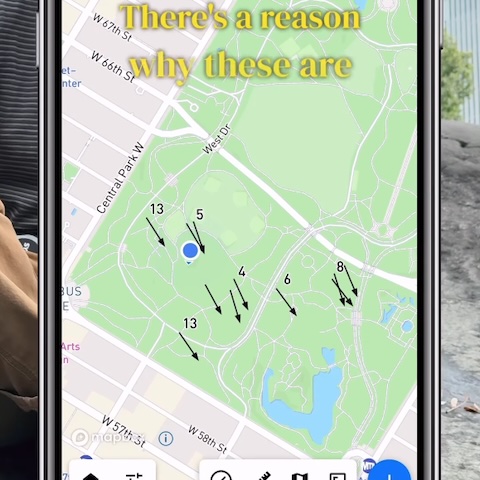
I love learning about the fascinating work you all do with the app. If you’re interested having your work featured, please reach out to mike@touchgis.app.
That’s it for this edition of Field Notes, and the last one of 2025. Thanks for your support this year and for working with us to make Touch GIS the most useful field data collection app available. I hope you all have happy holidays and the new year gets off to a great start.
Cheers,
Mike